Your content management system (CMS) comes with a media library, and for one website that is often all you need. It gets harder when the same image has to appear on the site, in the online store, in a newsletter, and in a partner feed, and someone keeps downloading and re-uploading files to make that happen.
That is when teams start asking whether they need a separate digital asset management (DAM) system. The answer depends less on your platform than on reuse: how many channels, systems, and teams draw on the same assets. The 5-point checklist at the end of this article helps you tell.
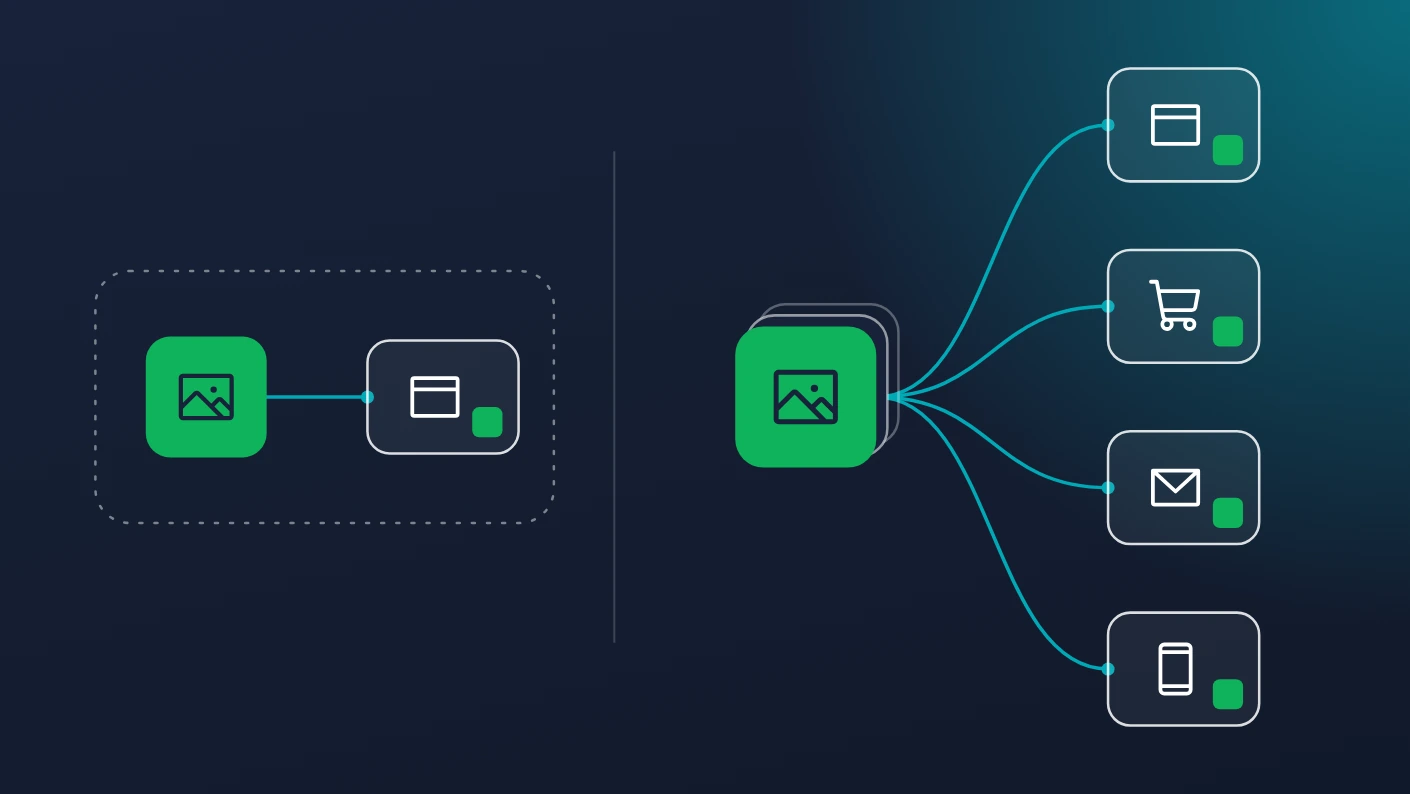
What is the difference between a DAM and a CMS media library?
A CMS media library stores the images, videos, and documents used on the pages that CMS manages. It covers only the channels that one CMS delivers to.
A DAM is a separate system of record for media assets. It keeps rights, versions, and derivatives in one place for every channel and team that uses an asset. People find, tag, and approve files in its interface, and other systems access them through an API or ready-made connectors.
With a DAM, the same file and its metadata can reach a product page, a blog post, an email platform, and a paid social feed without four separate uploads.
Do Adobe and Sitecore keep DAM separate from the CMS?
Partly. Both sell their DAM as a separate product but connect it closely to their CMS.
SitecoreAI DAM, previously Content Hub, runs either standalone or as part of the SitecoreAI platform. Within the platform, DAM and CMS share one data model so that page authors can access approved assets without manual transfer.
Adobe's Experience Manager Assets is its DAM, and Experience Manager Sites is its CMS, both in the Experience Manager family.
Analysts rank these as DAM products in their own right. Gartner evaluates both Sitecore and Adobe in its Magic Quadrant for Digital Asset Management Platforms, and the 2026 edition named both Leaders.
So the choice is open on both platforms, and you still have to work out whether you need a DAM at all.
Where do assets live in a composable stack?
Composable stacks often build on a headless CMS, which separates the back end from the presentation layer. It stores and manages content, and any front end, such as a website, an app, or an online store, requests that content through an API.
Assets in such a stack either stay in the media library or live in a DAM that the CMS connects to. Contentful, a headless CMS that has been part of Salesforce since September 2026, offers basic media management and leaves DAM to partners such as Bynder, Cloudinary, and Brandfolder, which plug in through its marketplace.
We implement composable stacks built on SitecoreAI, Optimizely, Contentful, and other platforms. A common pattern is for the CMS to handle structured content and the DAM to handle media.
A DAM alone does not eliminate manual work. If a channel is not connected, someone still downloads files from one system and uploads them to another, and metadata gets lost along the way.
A lesson from Brimit's experience
Picturepark, a Swiss DAM vendor, saw this with its customers. Many shared news, product catalogs, and marketing materials through SharePoint, and teams had to search for an asset in Picturepark, download it, and upload it to SharePoint.
We built a connector that brings the Picturepark library into SharePoint. Folders stay in sync with the DAM and files arrive with their metadata. Content managers need no Picturepark account and do not have to know the platform.
When is a CMS media library enough?
In Forrester Consulting research commissioned by Orange Logic, 80% of organizations surveyed said they plan to increase DAM investment over the next two years. Even so, not every brand needs a separate DAM.
A single-market site with one CMS, a small catalog, and no meaningful cross-channel reuse can run perfectly well on a built-in media library. The decision is about how many channels pull the same asset and how many people outside the CMS need to find it.
Do you need a separate DAM? A 5-point checklist
A separate DAM is worth it if two or more of these are true:
- Assets are reused across more than two channels, such as site, commerce, email, paid social, and partner feeds
- More than one CMS, commerce platform, or regional site draws on the same library
- Rights, usage windows, or regional restrictions need to be enforced in one place instead of channel by channel
- Non-technical teams, such as agencies and regional marketers, need self-serve access without CMS logins
- Asset volume or file sizes have outgrown what the CMS media library was built to handle
If fewer than two apply, the built-in library is likely enough for now. If two or more apply, two questions come next:
- Should you use the DAM on your CMS vendor's platform or an independent one?
- Can it reach every channel on your list, through an API or a ready-made connector? Any channel it cannot reach brings the manual work back.
Not sure where you land? Talk to our team about your content stack.
FAQ
Does a headless CMS mean I need a separate DAM?
No. A headless CMS changes how content reaches your front ends. You need a DAM for asset reuse, and a small, single-channel site can run on the media library built into the CMS, headless or not.
How does a DAM connect to a headless CMS?
Usually through an app or connector installed in the CMS. Editors pick an asset from the DAM without leaving the CMS, which stores a reference to that asset, and the front end loads the file from the DAM's delivery service.
Is Adobe Experience Manager Assets part of the CMS or a separate product?
It is a separate product in the same family. Experience Manager Sites is the CMS, Experience Manager Assets is the DAM, and both can still belong to one stack.